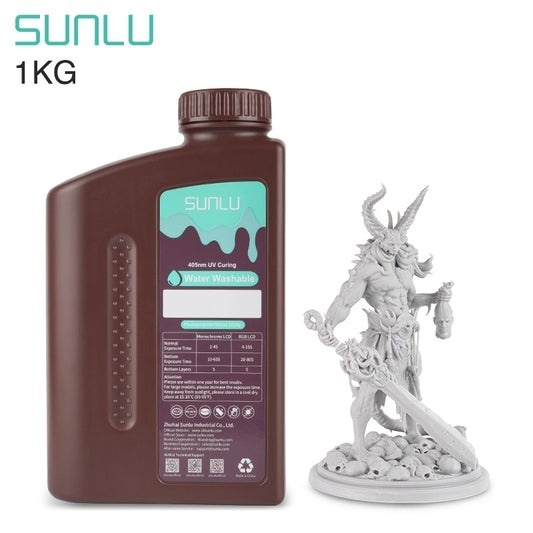
Choosing resin for 3D printing starts with the part you want to make. A display miniature, prototype, and functional component place different demands on the material. The right 3d print resin should fit your printer, balance detail and toughness, and suit your post-processing routine. Price matters, but so do reliability and usable results.
What Should You Consider Before Buying 3D Print Resin?
Start with the intended use. For decorative models, finish and fine detail may matter more than impact resistance. Parts that will be handled, assembled, or exposed to knocks call for greater toughness. For heat exposure, check the heat deflection temperature (HDT); this laboratory value is not a recommended operating temperature.
Check printer compatibility and wavelength, since resin is formulated for particular light sources and exposure systems. Consider viscosity, which affects how resin flows back across the build plate between layers. Color, bottle size, odor, price, and access to technical data sheets also influence the choice.
Larger models, hollow structures, and support placement can affect print success, too; a resin’s listed strength cannot account for every design variable.
Which Types of Resin Are Available?
Standard resin suits everyday models, visual prototypes, and display pieces. It balances detail and rigidity, though printed parts may be less tolerant of impact than tougher formulas.
ABS-like resin suits parts needing added flexibility and impact resistance, such as miniatures, brackets, and handled prototypes. Water-washable resin is designed for cleaning with water rather than a solvent such as isopropyl alcohol; its wash water still needs proper handling because uncured resin can remain in it.
High-detail formulas, including some 14K resins, suit intricate figures and small features. Flexible specialty resins may suit parts that need some give, but their properties vary by formula. Check whether the manufacturer provides data relevant to the intended use.
Labels describe general material traits, not a universal performance ranking. Compare technical data and test a small model first.
How Do Resin Properties Affect Print Performance?
These figures compare two common options; results still depend on test methods, print orientation, exposure, and post-curing.
| Property | Standard Resin | ABS-Like Resin |
| Tensile strength | 45 MPa | 28 MPa |
| Flexural strength | 57 MPa | 36 MPa |
| Elongation at break | 13.5% | 25% |
| Notched Izod impact strength | 40 J/m | 70 J/m |
| Heat deflection temperature | 55°C | 50°C |
| Viscosity | 300–600 mPa·s | 300–700 mPa·s |
Tensile and flexural strength describe resistance to pulling and bending. Elongation at break shows how far a specimen stretches before fracturing, while impact strength reflects response to a sudden blow. A higher value in one column does not make a resin superior for every use; consider the part’s actual demands.
How Do You Match Resin to Your Project?
For miniatures and display objects, consider detail, color, and finish. For prototypes that will be handled or assembled, study impact strength and elongation. Heat-exposed components need a suitable HDT rating, while thin tabs or clips may benefit from a tougher formula. Resin prints are not automatically suitable for food contact, medical use, or safety-critical parts; check stated applications and certifications.
When comparing resin for 3d prints, consider the workflow as well as the finished part. A low-cost bottle may cost more in practice if failed prints, difficult cleanup, or breakage add work. A trial print can show how well the material fits your design.
What Should You Know About Printer Compatibility and Settings?
Confirm the resin’s wavelength and printer type, then treat recommended settings as a starting point. Exposure time varies with LCD technology, layer height, color, temperature, and geometry.
SUNLU Standard Resin lists layer exposure of 4–15 seconds for color LCD screens and 1.5–3.5 seconds for monochrome LCD screens; its ABS-Like Resin lists similar ranges but different bottom-exposure ranges. These are not universal presets.
Run a calibration model and adjust exposure in small increments. Check the technical data sheet and record successful values for each resin-printer combination. Follow printer guidance for build-plate leveling, resin handling, and ventilation.
What About Cleaning, Curing, and Storage?
Printed parts generally need cleaning and UV post-curing according to the resin instructions. Use the specified cleaning method, drain excess resin before washing, and let the model dry before curing when required.
Wear gloves and eye protection and work in a ventilated area. Keep uncured resin and contaminated cleaning liquid out of household drains; follow the safety data sheet and local disposal rules.
Store resin in a closed, labeled container away from direct sunlight and excessive heat. Follow storage guidance and mix as directed if settling occurs. Keep uncured resin away from children and pets.
How Can You Make a Confident Buying Decision?
Match the part’s purpose to key properties, verify printer compatibility, and check post-processing requirements. Compare technical data rather than relying on labels such as “standard” or “tough.”
SUNLU offers Standard and ABS-Like Resin for general models and projects calling for greater impact resistance. Check current specifications and test a small print before producing a full batch.
