Choosing printing equipment is a business decision that affects production efficiency, product quality, operating costs, and the range of customization services a company can offer. Buyers searching for a UV DTF printer for sale should look beyond advertised speed and purchase price. Print quality, workflow compatibility, maintenance requirements, and supplier support all influence long-term value. A structured checklist helps commercial buyers compare equipment against actual production needs instead of relying on promotional claims alone.
- Define Your Production Requirements First
Before comparing machines, identify the products, order volumes, and customization services the business intends to handle. Promotional merchandise suppliers may prioritize short-run personalization, while established printing workshops may need consistent output across larger batches. These different requirements affect the appropriate machine configuration, working width, and level of automation.
Buyers should also distinguish between UV DTF transfer printing and direct UV printing. UV DTF equipment prints designs onto transfer film for subsequent application to compatible surfaces. Direct UV printers deposit ink directly onto objects or materials. Although both use ultraviolet curing, their workflows and suitable applications differ. Confirming the required process prevents purchasing equipment that does not match the intended products.
- Evaluate Print Quality and Color Consistency
Print quality is central to customer satisfaction, particularly for logos, fine lettering, gradients, and detailed souvenir graphics. When assessing a UV DTF printer for sale, examine the supported resolution, printhead configuration, ink compatibility, and available color management options. Request actual sample prints containing small text, fine lines, and complex colors rather than judging quality from promotional photographs.
Color consistency also matters when fulfilling repeat orders for corporate clients. Differences between batches can make branded merchandise look unprofessional. Ask suppliers how they manage color profiles, ink settings, and routine calibration. Testing representative artwork on the intended transfer film provides a more useful comparison than relying on resolution figures alone.
Adhesion deserves equal attention. UV-cured ink must remain properly bonded to the transfer structure, while the transfer adhesive must suit the target surface. Request application samples and test them on representative products. The final result can vary with surface preparation, coatings, curvature, and handling conditions, so broad claims of universal adhesion should be verified before production begins.
- Check Material Compatibility and Application Range
A machine’s application range should match the products a business sells. UV DTF transfers are commonly used on compatible hard surfaces, including glass, metal, acrylic, and selected plastics. However, adhesion depends on the material’s finish and surface condition. Buyers should request demonstrations using their actual products and verify transfer performance before committing to high-volume orders.
For businesses considering direct UV printing as an alternative, the printing method, substrate compatibility, and production workflow should be evaluated separately from UV DTF transfer printing.
Assess Automation and Ease of Operation
Automation can reduce repetitive tasks and help businesses manage customized orders efficiently. Check whether the printer supports preset templates, straightforward job preparation, and convenient operator controls. A UV DTF printer manufacturer should also explain the software requirements, training process, and compatibility with existing design and order-management workflows.
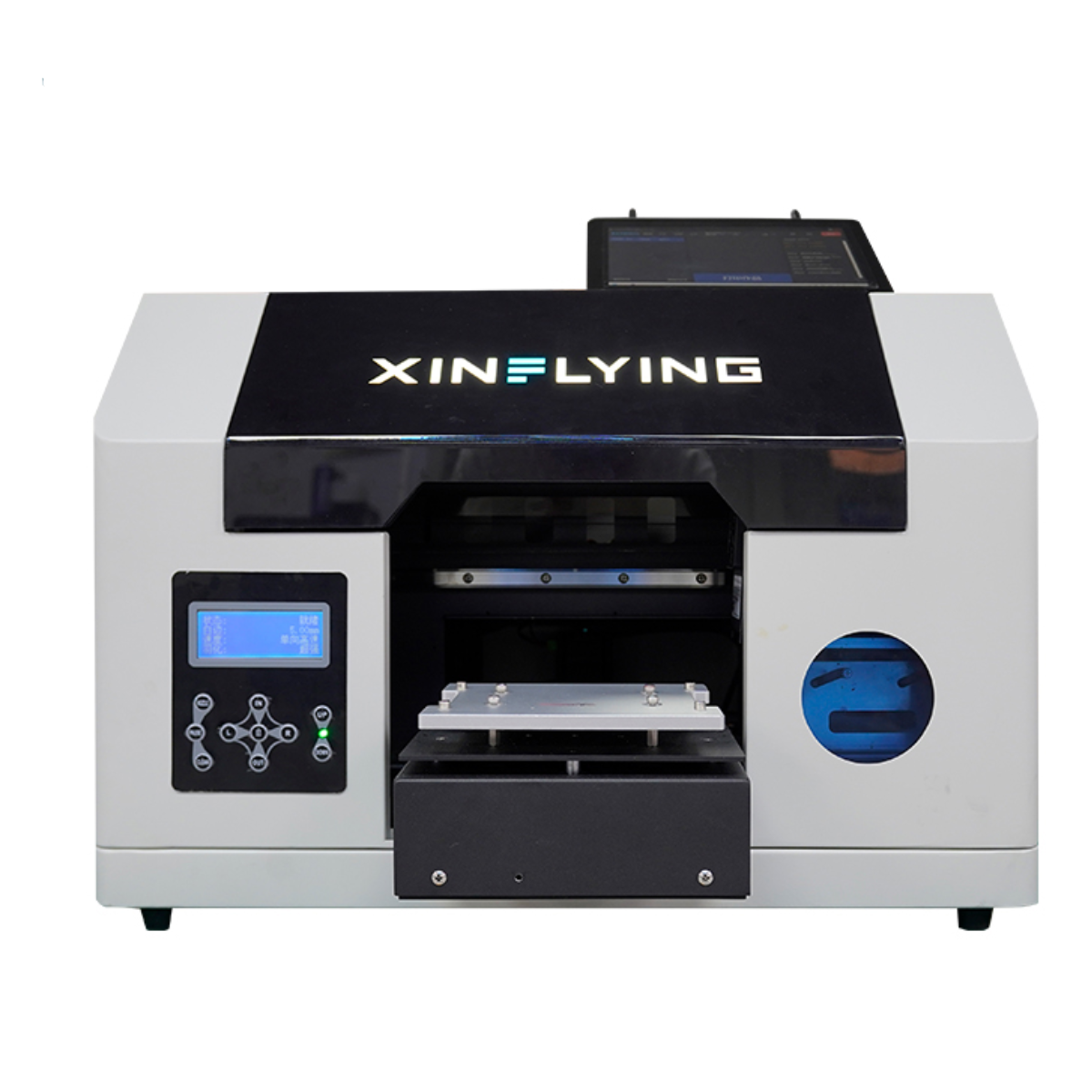
Xinflying’s XF-RA3-1XP offers QR-code access, mobile design editing, AI-assisted design creation, one-click template printing, and cloud-based management of orders, image libraries, and devices. Its integrated mini PC and 10.1-inch touchscreen are intended to simplify operation. For souvenir businesses serving walk-in customers or handling personalized orders, these functions may help streamline the design-to-print process.
Calculate the Total Cost of Ownership
The purchase price is only one part of the investment. Buyers should estimate ongoing expenses for ink, transfer film where applicable, cleaning supplies, replacement parts, electricity, labor, and routine maintenance. Installation, training, shipping, and potential production downtime should also be included when comparing quotations.
Ask suppliers to clarify warranty coverage, spare-part availability, technical support hours, and expected maintenance tasks. A lower-priced machine may not provide the best value if consumables are expensive or technical assistance is difficult to access. A reliable UV DTF printer manufacturer should provide clear information about operating requirements and help buyers understand the costs associated with their intended workload.
Verify Supplier Support Before Ordering
Before placing an order, request a written quotation, complete technical specifications, sample outputs, and confirmation of included accessories. Clarify delivery arrangements, payment terms, warranty conditions, and the process for resolving technical problems. Buyers should also establish whether remote troubleshooting and operator training are available.
Comparing a UV DTF printer for sale becomes easier when each supplier answers the same questions. Keep records of verified specifications and test results rather than relying on verbal promises. For overseas buyers, clear communication about packaging, shipping documentation, and replacement-part delivery can also reduce procurement risks.
Make the Final Decision with a Practical Checklist
Selecting the right printing equipment requires a balance of quality, application compatibility, productivity, operating costs, and after-sales support. Before purchasing, confirm the printing method, test representative products, calculate total ownership costs, and assess whether the machine can support expected order volumes.
Businesses considering Xinflying’s equipment should match each model to the intended workflow. The XF-RA3-1XP is an option for direct souvenir printing with mobile customization and cloud-management features, while businesses specifically seeking film-based UV DTF transfers should verify that the selected model supports A-film printing and B-film lamination. This distinction helps buyers invest in equipment that meets their actual production requirements.
